What you need to know
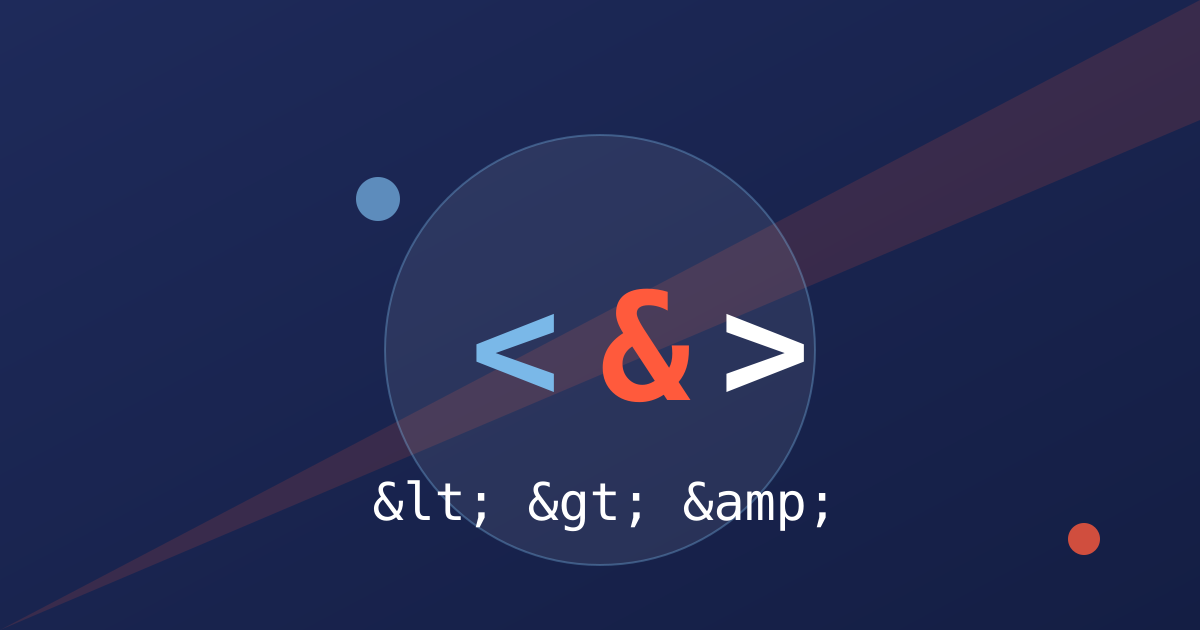
An escape character in HTML is a way of writing a character that has a special meaning, so that the browser shows the character itself instead of acting on it. The most common example is the less-than sign. In HTML, a less-than sign starts a tag, so if you want a page to display the text less-than sign, you cannot simply type it into the page. You write an entity instead, which is a short code that starts with an ampersand and ends with a semicolon. The browser then shows the character you intended, and the page works as expected.
Five characters need escaping in ordinary HTML text, and they are worth learning by heart. The ampersand becomes the entity amp, written as an ampersand followed by amp and a semicolon. The less-than sign becomes lt. The greater-than sign becomes gt. A double quote becomes quot. A single quote or apostrophe becomes apos in modern HTML, or the numeric code 39 in older pages. These five cover almost every problem you will meet in normal page content, and if you escape them correctly, most escaping problems disappear.
The reason escaping matters is that HTML is a language with reserved characters. When the browser reads a page, it treats a less-than sign as the start of a tag, and an ampersand as the start of an entity. If you put raw text into a page without escaping it, the browser may interpret part of your text as markup, which can break the layout, hide content, or show something you never intended. Worse, if user input is shown on a page without escaping, a malicious visitor can inject markup or scripts of their own, which is one of the most common web security problems. Escaping is therefore both a display fix and a safety measure.
Escaping works differently depending on where the text sits. In ordinary page text, escape the ampersand, the less-than sign, and the greater-than sign. Inside an attribute value, such as the text inside quotation marks after an equals sign, also escape the quotation mark that matches the one wrapping the value. In a URL inside a link, an ampersand that separates parameters should be written as an entity in the HTML source, even though the browser will turn it back into a plain ampersand when it follows the link. These distinctions matter because escaping the wrong place, or escaping twice, causes its own problems.
Double escaping is the most common mistake, and it is easy to recognise. If a page shows the literal text amp with a semicolon, or lt with a semicolon, instead of the character itself, the text was escaped twice: once by the code that prepared it, and once again by the code that displayed it. The fix is to escape exactly once, at the point where untrusted or special text is put into HTML, and to make sure no later step escapes it again. If you are using a framework or a template system, check whether it already escapes output for you before you add your own escaping on top of it.
Not escaping at all is the opposite mistake, and it is more serious. A comment form, a search box, or a product review that shows user text without escaping can break the page layout with a stray less-than sign, and it can allow script injection if the text contains markup. The safe rule is simple: escape everything that comes from outside your own code before it reaches the browser, every time, without exceptions for text that looks harmless. Text that looks harmless today may contain a special character tomorrow, and a rule with exceptions is a rule that will eventually fail.
Named entities cover far more than the five essential characters. A non-breaking space, written as nbsp, keeps two words on the same line, which is useful for keeping a number with its unit or a name together. Copyright, registered trademark, and trademark symbols have their own entities. Accented letters and symbols from other languages have entities too, although modern pages usually handle those directly with the correct character encoding, which is a simpler and cleaner approach. Use entities where they solve a real problem, and use the character itself where the encoding already handles it.
Numeric character references are an alternative to named entities, and they are useful when no named entity exists. A decimal reference starts with an ampersand, a hash, and the character code, followed by a semicolon. A hexadecimal reference uses a hash and an x instead. For example, the copyright symbol can be written by its code as well as by its name. Numeric references are less readable than names for common characters, so prefer names for the five essential characters and use numeric references for the unusual ones.
Escaping in JavaScript and in JSON is a related but separate topic, and mixing the rules up causes confusion. Inside a JavaScript string, a backslash is the escape character: a backslash followed by n means a new line, a backslash followed by a quote means a literal quote, and a double backslash means a literal backslash. Inside JSON, the same backslash rules apply, with a few extra codes for control characters. HTML entities do not work inside JavaScript strings, and JavaScript escapes do not work in HTML text. Each language has its own escaping, and text that moves between them must be escaped for the language it is entering.
A practical way to check your work is to use a tool that encodes and decodes entities for you, and to test the result in a browser. NuxLay free HTML Entity Encoder and Decoder tool lets you paste text and see the escaped version, or paste escaped text and see the original, which is useful when you are fixing a page or preparing content that contains code examples. For code examples on a page, also consider wrapping them in a code block and escaping the content, so that readers see the code itself rather than the browser trying to run it.
A short checklist will prevent most escaping problems. First, escape the five essential characters in page text and attributes. Second, escape user input every time, without exception. Third, escape exactly once, and check whether your framework already does it for you. Fourth, test pages that contain code examples, prices with symbols, and text with ampersands, such as company names, because those are the pages where escaping problems usually appear. Fifth, when text moves between HTML, JavaScript, and URLs, escape it for each destination in turn.
Escape characters look like a small detail, and that is exactly why they cause trouble: they are easy to overlook until a page breaks or a security issue appears. Learn the five essential entities, escape user input without exception, and test the pages where special characters appear. Those three habits will handle nearly every escaping problem you meet, and they will keep your pages displaying correctly and safely, whatever content your users or your own writing puts into them.
What guides actually covers
In practice, guides covers the basics, the details, and the checks that follow. Each of those parts matters on its own, and together they decide whether the work actually helps your business or just looks finished. A provider who only talks about one part, and never mentions the others, is probably selling a single task rather than a complete job.
It is just as useful to know what guides does not cover. It will not fix a confusing website on its own, it will not replace good customer service, and it will not turn a poor offer into a good one. Honest work starts by saying that plainly, so you can judge the result fairly instead of expecting one change to solve everything.
Start with the parts that affect customers directly, because those are the parts customers notice first. A clear page, a correct listing, and a fast, working website do more for trust than any behind-the-scenes detail, however technically correct that detail may be.
Why guides matters for your business
Customers now find, compare, and judge businesses online before they ever call. Guides is part of how they form that first opinion: whether your business looks current, trustworthy, and easy to deal with, or whether a competitor who looks better prepared takes the enquiry instead.
The effect is rarely instant, and that is normal. Good work compounds: each fix makes the next one easier, and each month of consistent work builds on the last. The cost of doing nothing is quieter but real — a slow drift toward being harder to find, while competitors who keep improving become easier to find.
None of this means you must do everything at once. It means you should do the important things steadily, and measure them against enquiries and customers rather than vanity numbers. A small, consistent improvement each month usually beats a large, rushed project that is never followed up.
How guides works, step by step
The first step is always an audit: looking at what you have now, what is working, and what is blocking progress. Skipping this step is the most common reason work fails, because a plan built without evidence usually fixes the wrong things first.
After the audit comes a short, prioritised plan, then the work itself, then a check of what changed. That check matters as much as the work: it shows what helped, what did not, and what to do next. Good guides is a cycle — audit, fix, check, improve — not a single job that is done once and forgotten.
Keep the plan short enough to actually follow. A plan with three clear priorities, each with an owner and a check date, will achieve more than a long document that nobody reads again. If a step cannot be explained in one sentence, it probably needs to be split into smaller steps.
What good guides looks like
Good work is easy to recognise once you know what to look for: clear explanations in plain language, a short list of what was done and why, and results you can check yourself rather than a report you have to take on trust. If you cannot tell what was done, you cannot tell whether it helped.
You should also expect honesty about limits. No honest provider can guarantee a ranking, a number of customers, or a result by a fixed date, because search engines, competitors, and customers all change. A provider who promises a guaranteed outcome is telling you what you want to hear, not what they can control.
Ask to see the work itself, not just a summary of it. A provider who shows you the pages changed, the listings updated, or the settings fixed is being transparent. A provider who only sends a chart, with no explanation of what changed, is asking you to trust a picture instead of evidence.
Common mistakes to avoid
The most common mistake is looking for a shortcut: copied content, bought links, keyword stuffing, or a trick that promises fast results. Shortcuts sometimes look like they work for a short time, and then they cause damage that takes far longer to repair than the shortcut ever saved.
The second mistake is the opposite: starting work and then never checking it. A website, a campaign, or a listing that is never reviewed slowly goes out of date, and small problems become large ones. A short, regular check — even once a month — prevents most of that drift.
A third mistake is copying a competitor without understanding why their approach works for them. Their customers, prices, and market may be different from yours, so their tactics may not fit your business. Use competitors for ideas, then adapt those ideas to your own customers and goals.
How long it takes, and what it costs
How long guides takes depends on where you start, how much needs fixing, and how competitive your market is. A small, well-kept website moves faster than a large site with years of neglect, and a crowded market moves slower than a quiet one. Anyone who gives you a fixed timeline without looking at your situation first is guessing.
The same applies to cost. This guide deliberately gives no prices, because a price without knowing your goals, your starting point, and the scope of work would be meaningless. A free consultation is the honest way to get a clear proposal: NuxLay looks at your situation first, then tells you what the work would involve and what it would cost, before you commit to anything.
Be careful with prices that look far below everyone else. They usually mean the work is thinner, automated, or copied, and the cost of fixing that work later is often higher than doing it properly first. Compare proposals by what is actually included, not by the headline price alone.
guides and the rest of your marketing
No single channel works alone. Guides works best when it fits with the rest of your marketing: a website that answers enquiries well, a Google profile that matches what customers find, and follow-up that turns an enquiry into a customer. When one part is weak, the others have to work harder to compensate.
Think about the journey a customer actually takes: they search, they compare, they check reviews or a profile, they visit your website, and then they decide whether to contact you. Every step that is confusing or slow loses some of those customers. Improving the weakest step usually helps more than polishing the strongest one further.
Make sure the messages match at every step. If an advert promises one thing, a listing says another, and the website says a third, customers lose trust before they ever contact you. One clear message, repeated consistently, is far more persuasive than three different messages competing with each other.
Doing it yourself, or getting help
Some of this work can be done yourself, especially the basics: keeping information up to date, writing clear pages, and checking your own website the way a customer would. If you have time and patience, starting there is sensible, and it teaches you what good work looks like when you later judge a provider.
Getting help makes sense when the work needs expertise you do not have, when time is short, or when mistakes would be costly. When you talk to any provider, ask what they will actually do, how you will know whether it worked, and what happens if it does not. Clear answers to those three questions are a good sign; vague answers are not.
Whatever you decide, keep ownership of your own accounts, websites, and data. A provider should work in your accounts, not hold them hostage, and you should be able to see and keep everything that was created for you. That is a basic test of whether a provider is acting in your interest.
A simple checklist before you start
First, write down what you want guides to achieve, in one sentence, and how you will know whether it worked. If you cannot state the goal plainly, spend more time on the goal before you spend money on the work, because a vague goal produces vague results.
Second, check the basics yourself: is your website fast and easy to use on a phone, is your contact information correct everywhere customers might find it, and does each page clearly say what you offer and what the customer should do next? Fixing those basics often helps more than any advanced technique.
Third, pick three priorities, in order, and give each one a date to check. Trying to do everything at once usually means nothing is finished properly. Three finished improvements, checked and kept, are worth far more than twenty started and abandoned.
Finally, keep a simple record of what was done and what changed afterwards. A short note — what was changed, when, and what happened next — turns guesswork into learning, and it makes every future decision about guides easier and better informed.
Frequently asked questions
Is guides a one-time job? No. It needs regular checking and small improvements, because search engines, competitors, and customer behaviour all change. A one-time fix helps for a while, and then it slowly stops helping.
How will I know whether it is working? By checking the things that matter to your business: enquiries, calls, bookings, or sales, not just a single ranking or traffic number. A good report connects the work to those outcomes in plain language.
Can I do guides myself? Yes, for the basics, and this guide is a starting point. For technical or large-scale work, professional help usually saves time and avoids costly mistakes.
What should I do first? Start with an audit of where you stand now, fix the biggest blocking problem first, and then check the result before moving on. If you would like help with that first step, NuxLay offers a free consultation with no obligation.
How do I choose between providers? Compare what each one will actually do, how they will report it, and whether they own their claims. The cheapest or loudest option is rarely the best, and the provider who explains limits honestly is usually the one who will do the work properly.
Where can I learn more about guides? The related guides below cover neighbouring topics, and the related service page explains what NuxLay actually includes. Reading two or three related guides gives you a much fuller picture than any single article, because each one covers a different part of the same problem.